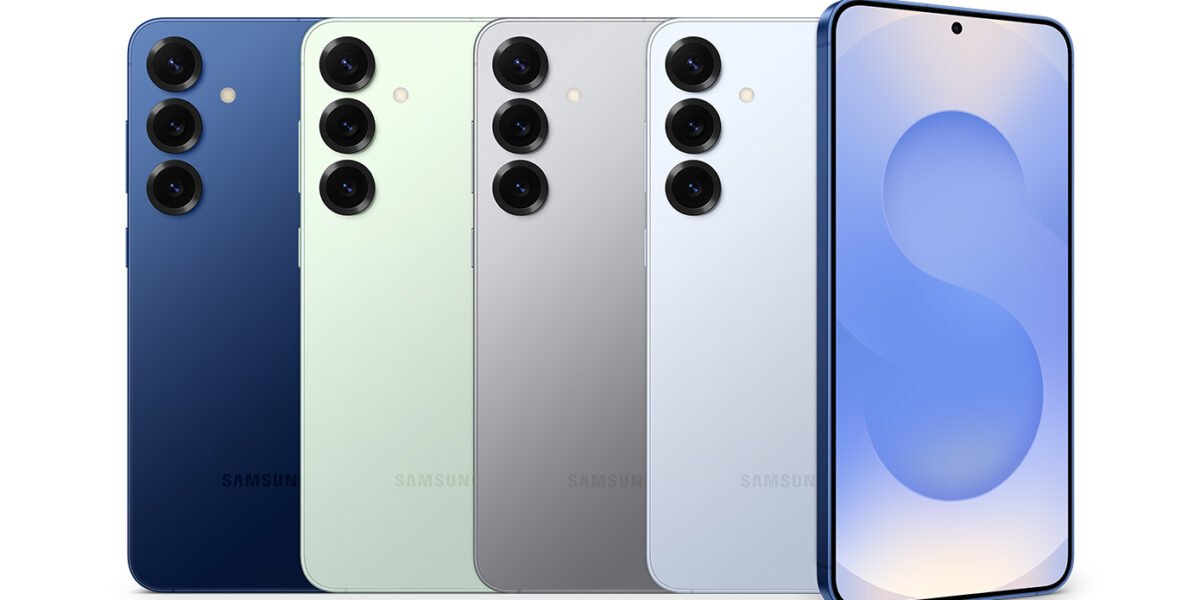
Samsung has officially started rolling out the new One UI 8.5 update, and right now it is trending heavily among Galaxy users worldwide. The update comes with smarter AI tools, a fresh new design, better customization, improved battery performance, camera upgrades, and stronger privacy features.
Samsung users were waiting for this update for a long time because One UI 8.5 brings many premium features inspired by AI technology and modern smartphone design trends. The company mainly focused on making Galaxy phones smoother, smarter, faster, and easier to use.
In this article, you will learn everything about Samsung One UI 8.5 in simple and easy English.
What is Samsung One UI 8.5?
One UI 8.5 is Samsung’s latest custom Android interface based on Android 16. It improves the overall Galaxy experience with:
- Better performance
- New Galaxy AI features
- Improved battery optimization
- Enhanced privacy
- New design changes
- Camera and gaming improvements
- Smarter multitasking tools
Samsung has already started the stable rollout for many flagship Galaxy devices globally.
Top New Features in One UI 8.5
1. Galaxy AI Improvements
The biggest highlight of One UI 8.5 is its advanced Galaxy AI system.
Smarter AI Suggestions
Your phone can now:
- Suggest replies automatically
- Create reminders from chats
- Summarize notifications
- Help with writing messages
Samsung also added “Now Nudge,” which gives smart suggestions based on your activities.
2. Redesigned Quick Panel
Samsung completely redesigned the Quick Settings panel.
New Customization Features
Users can now:
- Resize quick setting buttons
- Rearrange controls freely
- Customize brightness and volume sliders
- Create a cleaner layout
Many users are loving this feature because it gives more personalization options.
3. Fresh New UI Design
Samsung introduced a cleaner and more modern interface.
Frosted Glass Design
The update adds:
- Transparent UI effects
- Smooth animations
- Rounded floating tab bars
- Better visual transitions
The interface now feels more premium and smoother during everyday use.
4. Better Battery Optimization
Battery management has improved significantly.
Battery Improvements
One UI 8.5 helps:
- Reduce background battery drain
- Improve standby battery life
- Lower phone heating
- Increase charging efficiency
Many beta users reported better battery backup after updating.
5. Camera Upgrades
Samsung improved camera quality and editing tools.
New Camera Features
Users now get:
- Better low-light photography
- New photo filters
- AI-powered photo editing
- Improved portrait mode
- Better video stabilization
Samsung also introduced text-prompt photo editing where users can edit images using simple words.
6. Smarter Lock Screen
The lock screen now automatically adjusts widgets and clock placement based on wallpaper design.
Lock Screen Features
- Dynamic weather animations
- Adaptive clock positioning
- More widgets
- Better customization
This makes the lock screen look cleaner and more stylish.
7. Gaming Performance Boost
Gamers also get many improvements with One UI 8.5.
New Game Booster Features
Samsung improved:
- Frame stability
- Touch response
- Cooling optimization
- Gaming performance modes
The update also adds improved vibration controls and better gaming tools.
8. Better Privacy and Security
Samsung added stronger privacy tools to protect users.
Privacy Features
- App permission alerts
- Theft protection
- Failed login lock system
- Better security patches
Some premium Galaxy devices even support privacy display protection.
9. Improved Multitasking
Samsung made multitasking smoother for foldables and tablets.
Multitasking Upgrades
Users can:
- Open apps faster
- Switch between windows smoothly
- Use floating apps more efficiently
- Share files easily between Galaxy devices
This improves productivity for students and professionals.
10. Faster and Smoother Performance
One UI 8.5 focuses heavily on smoothness and stability.
Performance Enhancements
- Faster app opening speed
- Reduced lag
- Better animations
- Fewer app crashes
Many users describe the update as smoother and more polished than previous versions.
Eligible Devices for One UI 8.5
Samsung is rolling out the update for many Galaxy devices including:
Galaxy S Series
- Galaxy S25 Series
- Galaxy S24 Series
- Galaxy S23 Series
- Galaxy S22 Series
Foldable Phones
- Galaxy Z Fold 7
- Galaxy Z Flip 7
- Galaxy Z Fold 6
- Galaxy Z Flip 6
Tablets
- Galaxy Tab S11 Series
- Galaxy Tab S10 Series
Some Galaxy A series devices will also receive the update later.
How to Update to One UI 8.5
You can check for the update by following these steps:
Settings → Software Update → Download and Install
The rollout may take time depending on your country and device model.
Pros of One UI 8.5
✔ Better performance
✔ Smoother animations
✔ Improved battery life
✔ Advanced Galaxy AI tools
✔ Better customization
✔ Enhanced gaming experience
✔ Stronger privacy protection
✔ Improved camera quality
Some Minor Drawbacks
✘ Some older phones may not get all AI features
✘ Initial bugs may appear in early versions
✘ Large update size for some devices
Still, most users are calling it one of Samsung’s best updates in recent years.
Why One UI 8.5 is Trending
The update is trending because Samsung introduced many features that users actually wanted:
- Better customization
- More AI features
- Smooth animations
- Improved battery backup
- Smarter Galaxy ecosystem integration
Many tech users on Reddit and social media are calling it the “real Android 16 experience” for Samsung phones.
Final Thoughts
One UI 8.5 is a major upgrade for Galaxy users. Samsung focused on improving real-life usability instead of adding unnecessary features. The update feels cleaner, smarter, faster, and more modern.
Whether you use your phone for gaming, photography, social media, multitasking, or daily work, One UI 8.5 improves the overall experience in many ways.
Samsung is clearly focusing heavily on AI technology and premium user experience, and this update proves that the company wants Galaxy phones to stay ahead in the Android market.